 Home
Home
 Getting Here
 Hot Deals
 Advisory













License Plate Recognition (LPR) Registration for Platinum Card Members
As a token of our appreciation for your continued loyalty, we invite you to register your vehicle via the link below and enjoy Complimentary Drive to the Top at our LPR facilities. Register early to ensure a smoother, more seamless journey.
Thank you for being an integral part of our journey - we look forward to welcoming you soon!
Guide: Registering Your Car Plate in RWG Web
Step 1: Log in to your account on the Resorts World Genting (RWG) Web: click here
Step 2: Navigate to “LPR Registration”
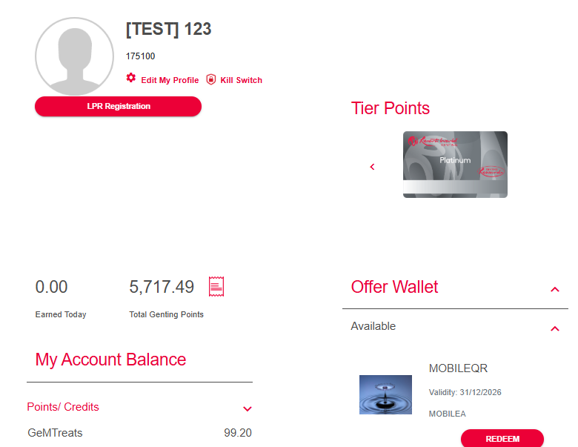
Step 3: Enter your vehicle plate number
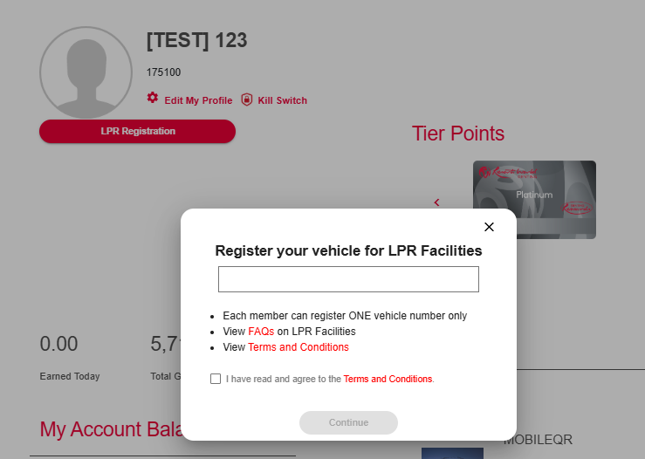
Step 4: Read the FAQ and Terms & Conditions (T&Cs) for more information, then tick the checkbox to agree to the T&Cs
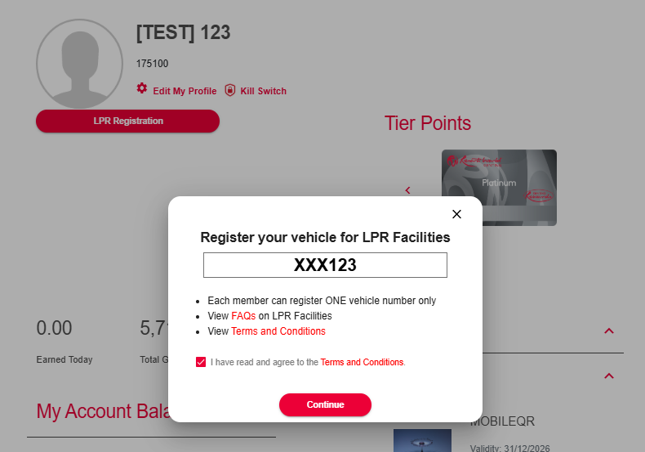
Step 5: Re-enter the vehicle plate number for confirmation
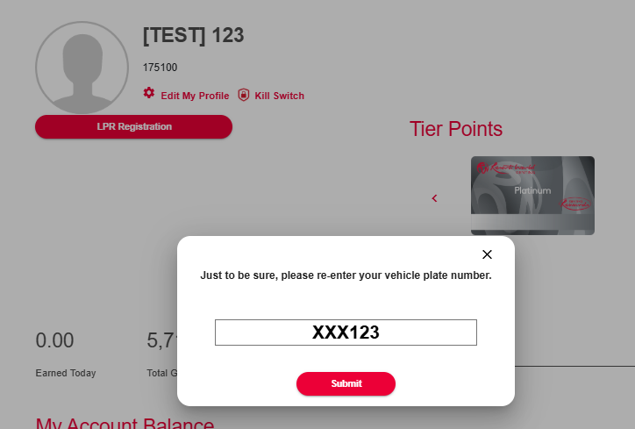
Step 6: Review and ensure the plate number is accurate before submitting
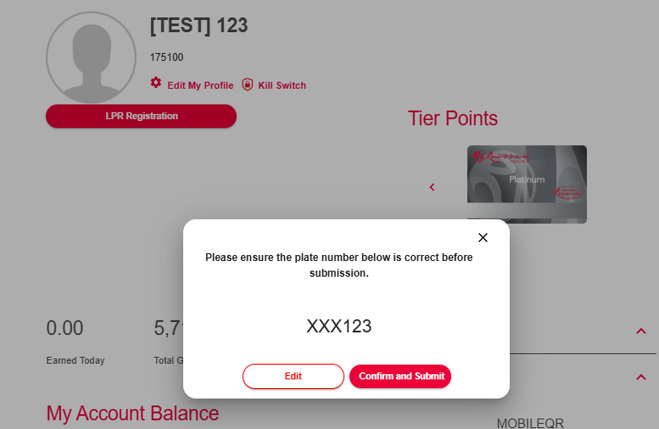
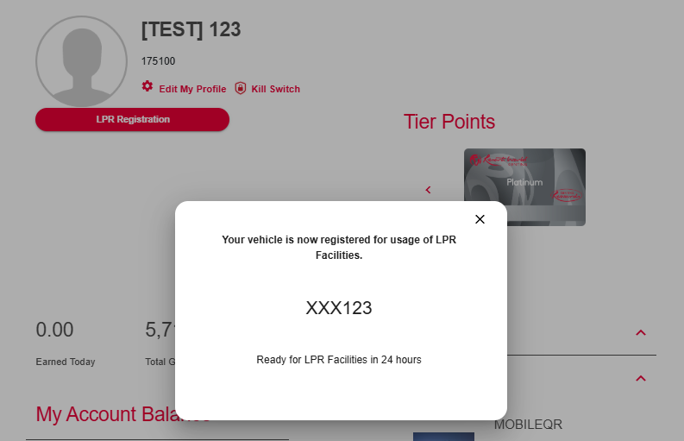
Step 7: Once submitted, your vehicle will be registered for use of the LPR facilities
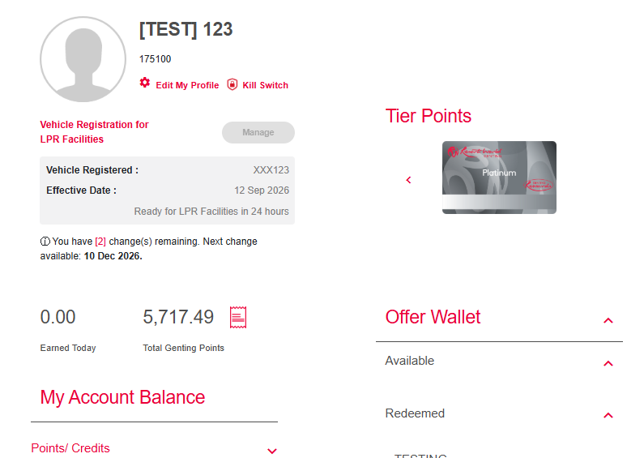
Step 8: You may now view your registered vehicle plate number on your profile page
Guide: Registering Your Car Plate in RWG App
Step 1: Navigate to ‘Profile’ after logging into app
Step 2: Tap on LPR Registration
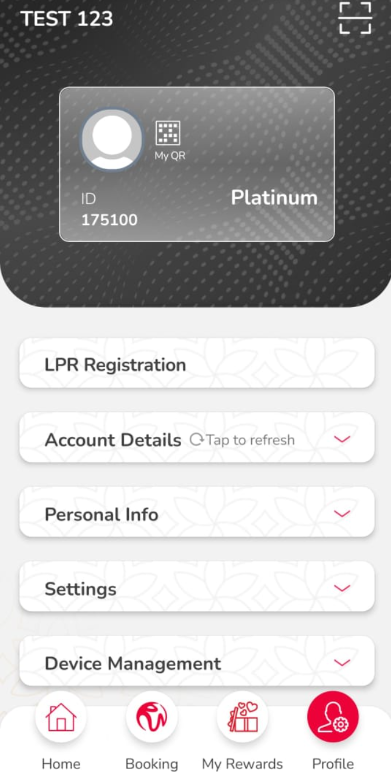
Step 3: Enter your vehicle plate number
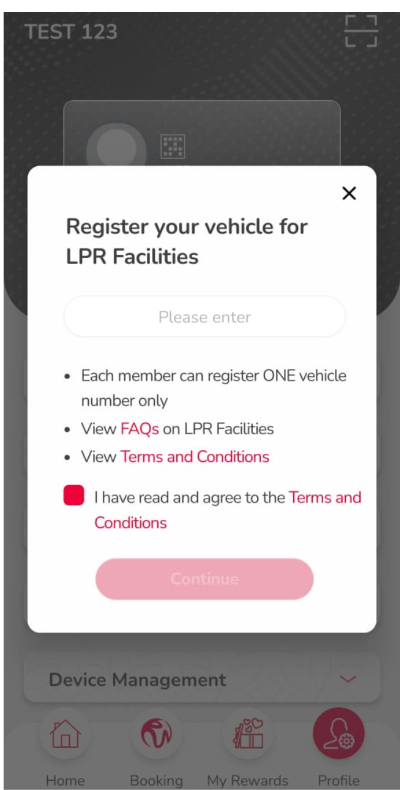
Step 4: Read the FAQ and Terms & Conditions (T&Cs) for more information, then tick the checkbox to agree to the T&Cs
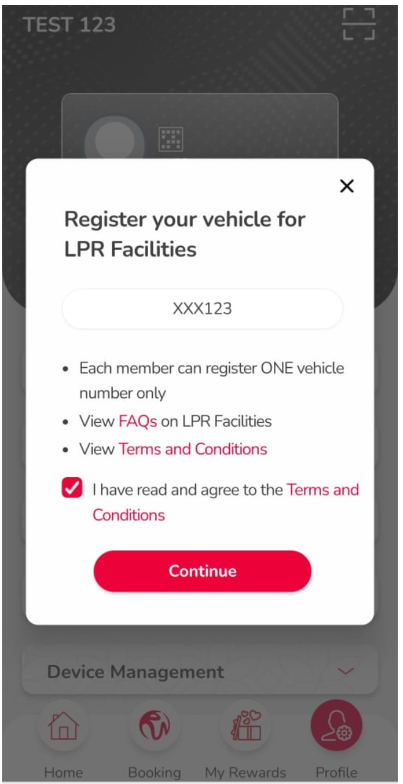
Step 5: Re-enter the vehicle plate number for confirmation
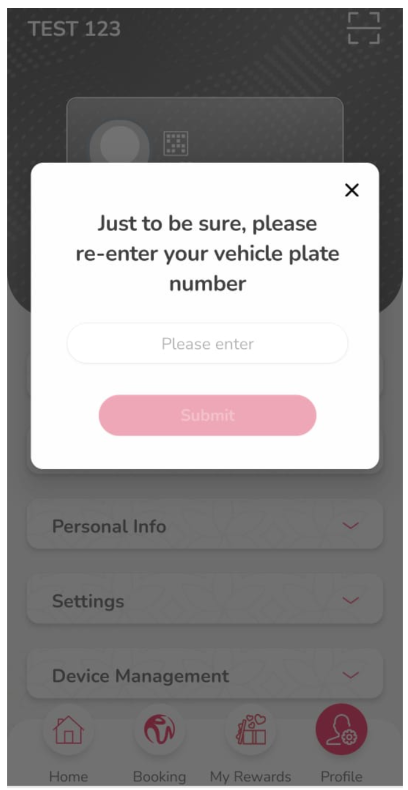
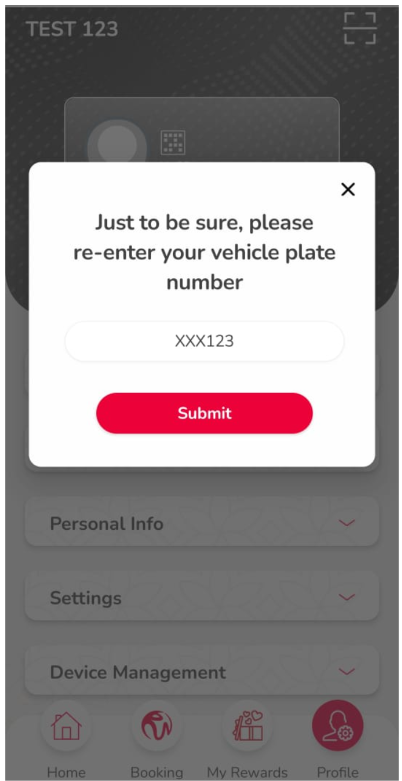
Step 6: Review and ensure the plate number is accurate before submitting
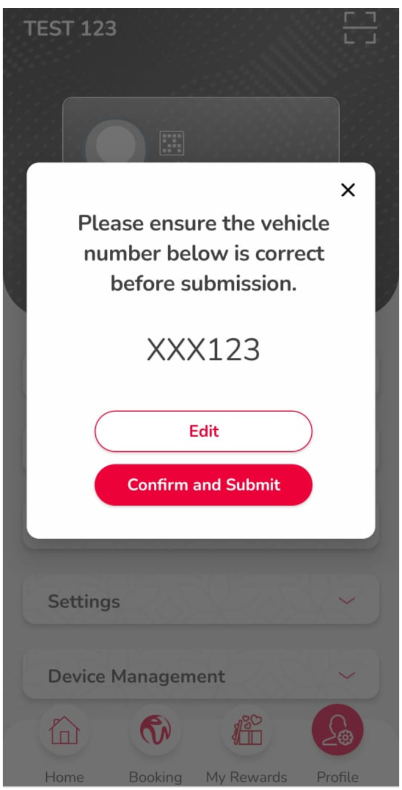
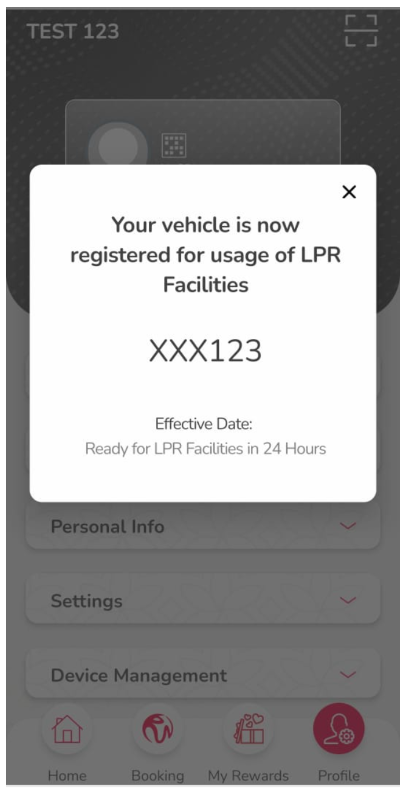
Step 7: Once submitted, your vehicle will be registered for use of the LPR facilities
Step 8: You may now view your registered vehicle plate number on your profile page
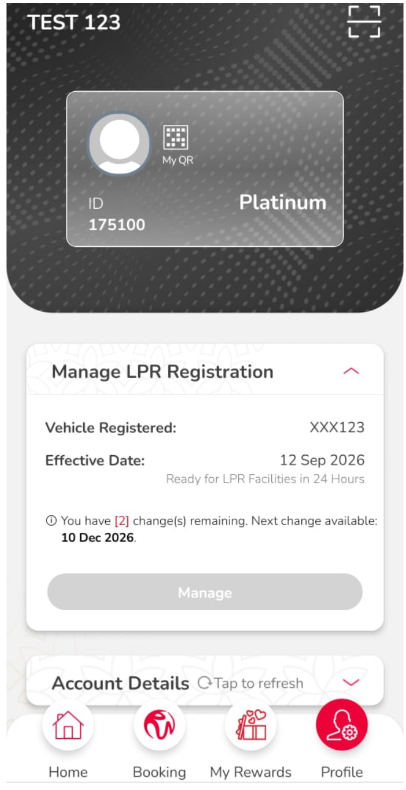
Note: Please allow up to 24 hours for new vehicle registrations or updates to be reflected in the system.
Important Notice – Vehicle Plate Number Update
You can now update your registered vehicle plate number via “Manage LPR Registration” on the RWG App or RWG Web, subject to the following conditions:
- A minimum of 90 days must have passed since your previous vehicle plate registration or update
- You can update your vehicle plate number up to 2 times within a rolling 365-day period
- The 90-day waiting period starts from the date of your previous vehicle plate registration or update
Example
| Date | Action | Status |
| 01/01/2026 | Initial vehicle plate registration (1st registration) | Does not count as an update |
| 01/04/2026 | 1st plate number update | Allowed |
| 01/07/2026 | 2nd plate number update | Allowed |
| 01/01/2027 | 3rd plate number update | Not allowed |
| 05/04/2027 | 3rd plate number update | Allowed |
Why? The 1st update made on 01/04/2026 is no longer within the rolling 365-day period as of 05/04/2027. Therefore, only the update made on 01/07/2026 is counted, allowing the 3rd update to proceed.
Typographical Error or Change of Vehicle
Please visit the Genting Rewards Guest Services Counter if you made a mistake or need to change your car plate after reaching the update limit.
Please bring:
- Valid Driving Licence
- Vehicle Road Tax - physical copy or digital copy via the MyJPJ app
The documents will be verified by the Genting Rewards Guest Services team before the update is processed.
Note: Existing LPR eligibility criteria and registration process remain unchanged.
/footer/linkedin2.png)
/footer/tiktok-logo.png)
/footer/xiaohongshu-logo2.png)
STAY UPDATED
Get exclusive news, stories and updates
